Blackbox Site Intelligence Mobile App is Live Now
Our new mobile app puts live imagery, timelapse history and camera status for every Blackbox project in one place, built for the people walking the site, not sitting behind a desk.
Today we're launching Blackbox Site Intelligence, a free app for iPhone and Android that gives project teams direct access to their Blackbox cameras from the field.
For years, our clients have relied on us to monitor what's happening across their projects. Most of that viewing has happened on a laptop. Site Intelligence brings it to the device you already carry onto site every day.
Your site, in your pocket
Why we built it
Visibility is only useful if it's available when the decision is being made. On a construction, mining or civil project, those decisions happen on site: at a pour, during a walk-through, in a conversation with a subcontractor.
We kept hearing the same thing from site managers, project managers and asset owners. They valued the imagery, but getting to it meant waiting until they were back at a computer. By then the moment had often passed.
Site Intelligence closes that gap. The principle is simple: the person responsible for the site should be able to see the site, wherever they're standing.
What the app does
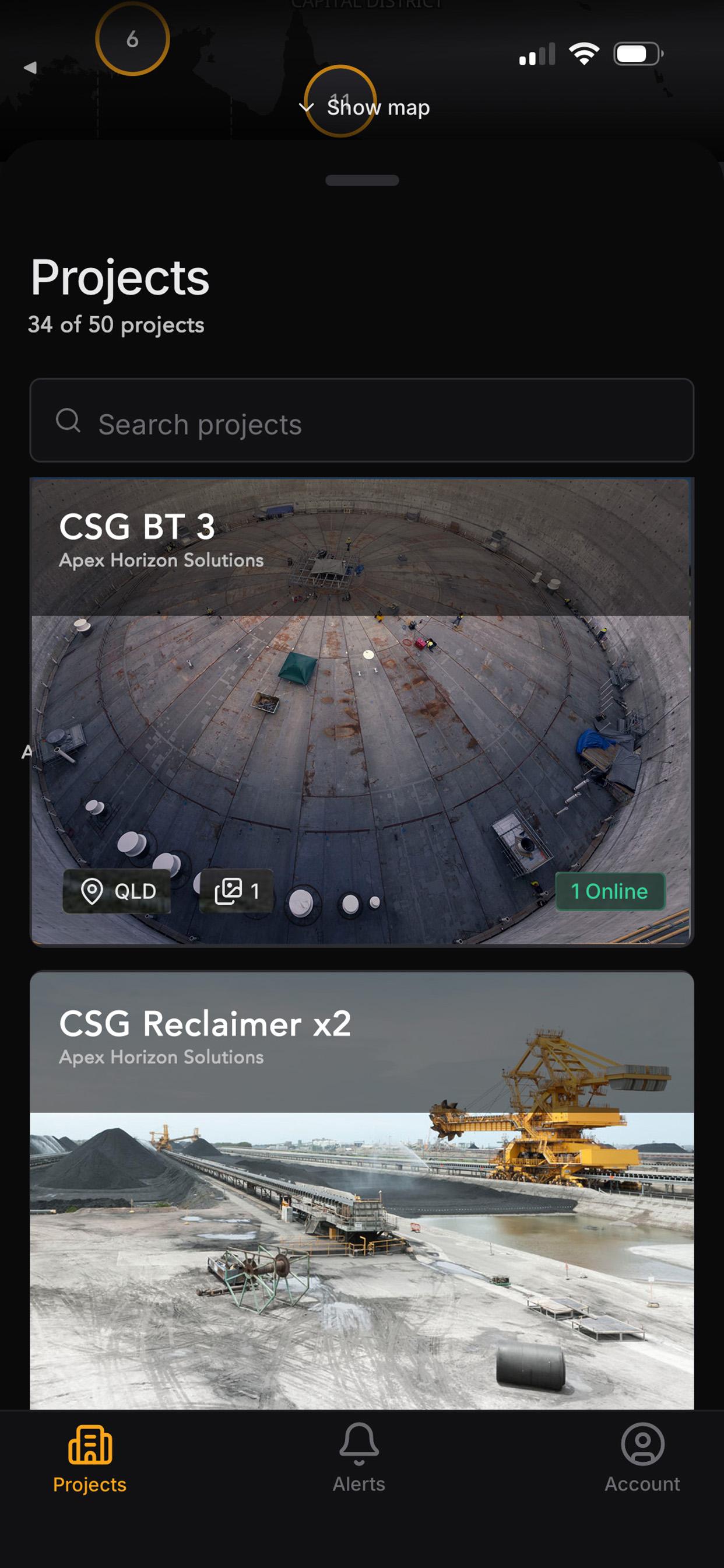
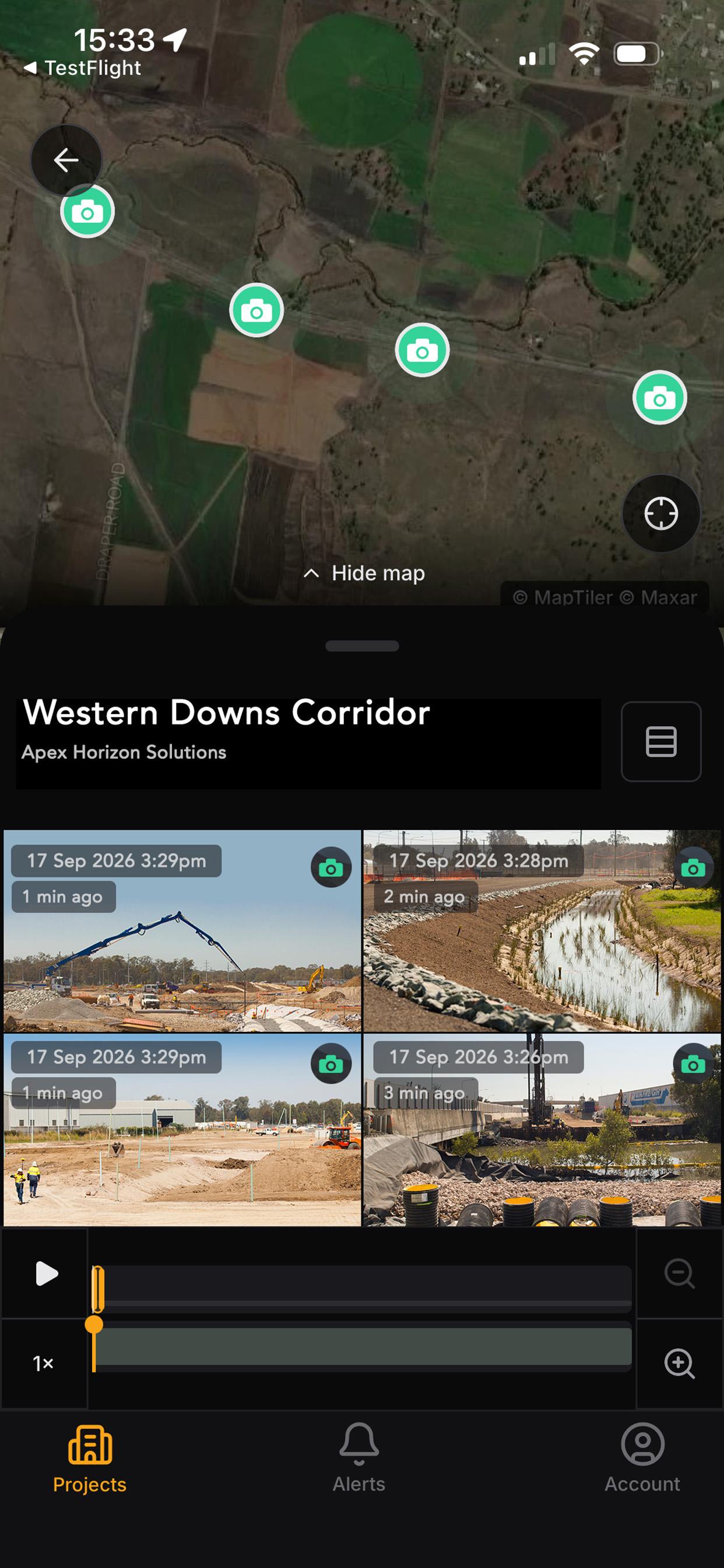
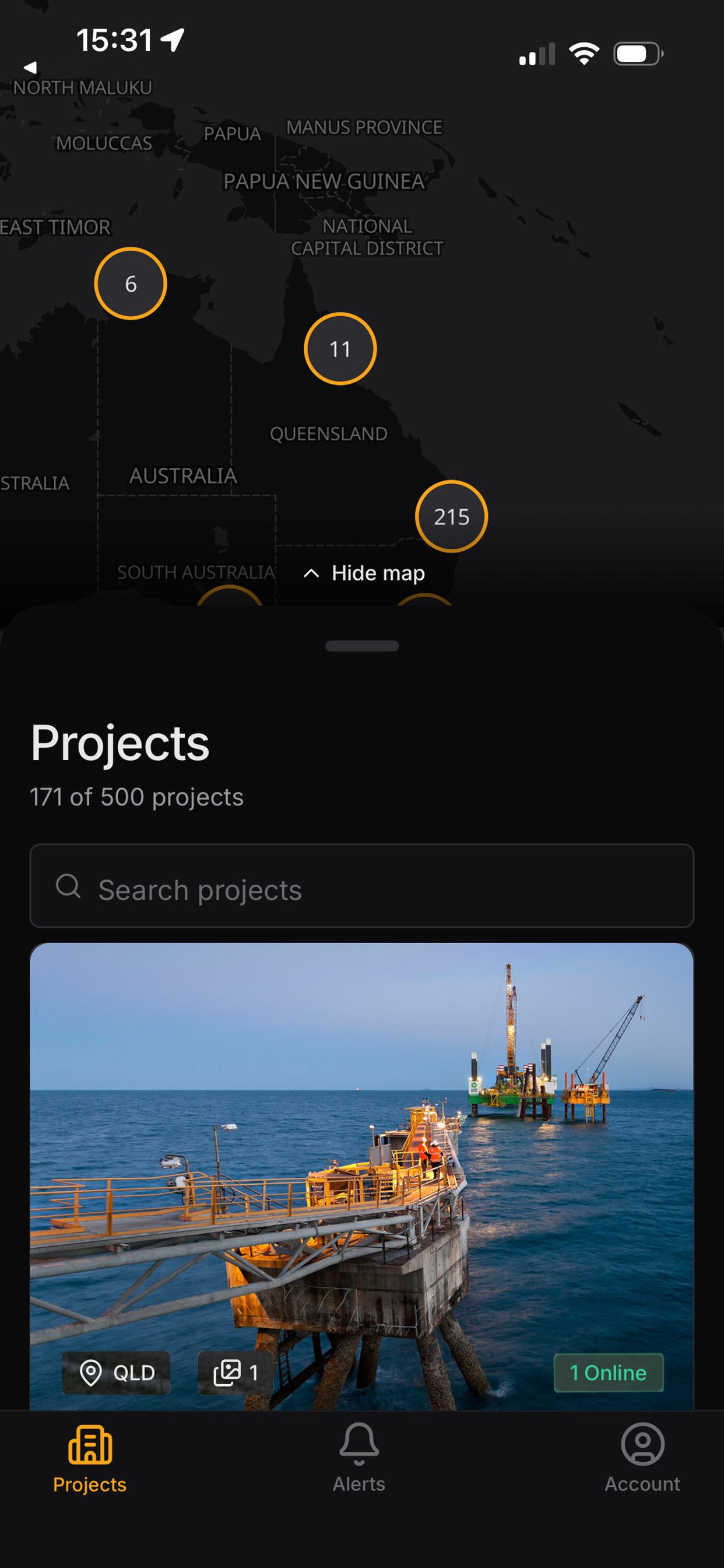
Every project, on a map. Open the app to see all your projects as a searchable list and on a map. Each camera is pinned where it sits on site, showing the direction it faces. Drag between map and list to focus on the camera you want.
The whole site at a glance. The camera wall shows the latest image from every camera on a project, whether it's active, and when it last updated. Where live streaming is enabled, you can watch a camera in real time in SD or HD.
One timeline for every camera. Drag the project timeline and every camera moves to the same moment. It's a simple way to see what was happening across the whole site at once.
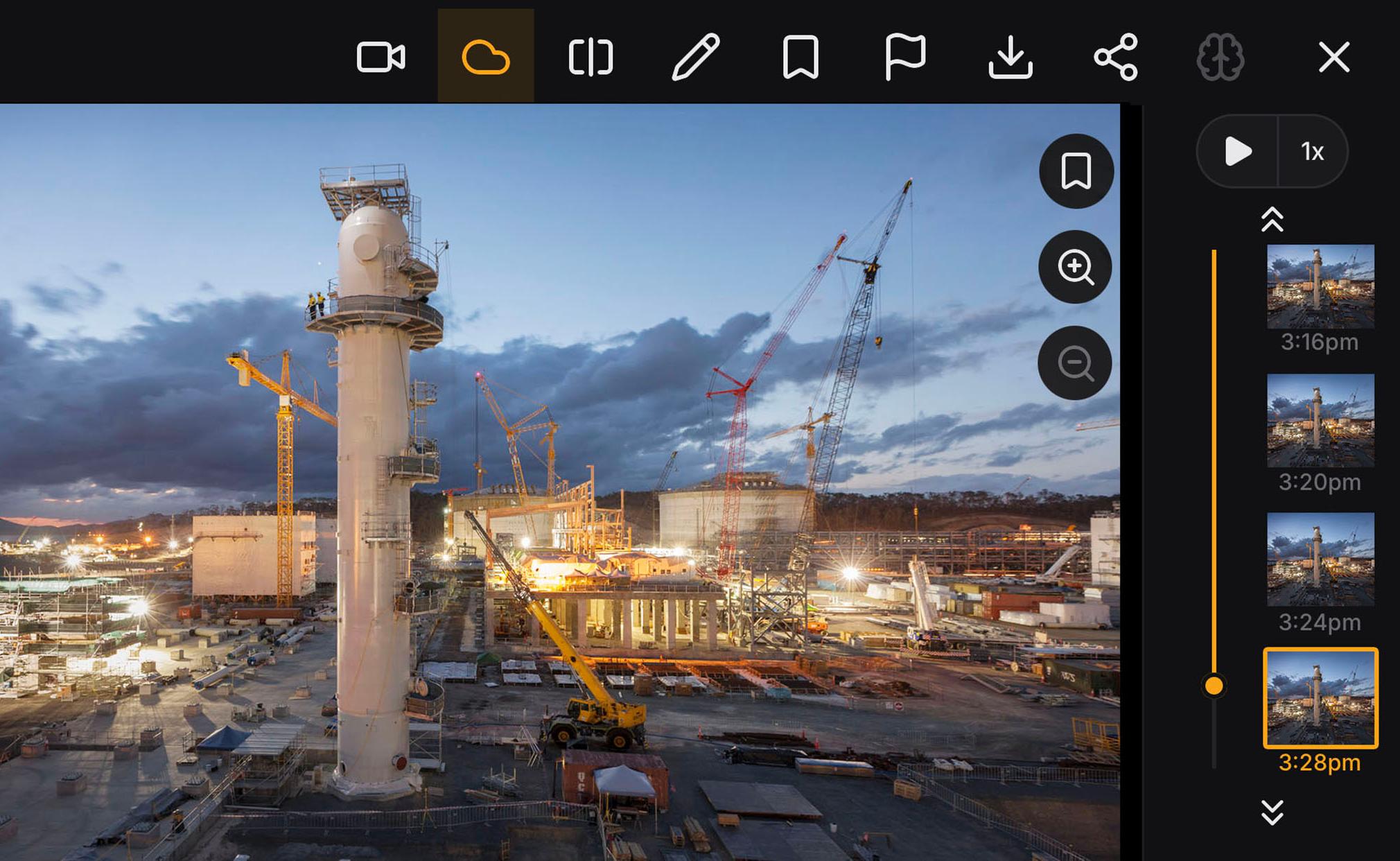
Timelapse history. Scrub back through any day, jump to a date, or press play. Before/after compare puts two days side by side at the same time of day. Project milestones and the weather on the day sit alongside the image, so progress always has context.
Evidence you can share. Mark up a frame with pen, arrows, boxes and text, bookmark it, then save or share it straight from your phone. Annotations stay on your device, and the app only ever asks to add photos to your library, never to read it.
Alerts in one place. The Alerts tab gathers notifications from all your projects, grouped by date.
Designed for site conditions. Large touch targets and one-handed use mean you can check the app while walking the site. A dark interface stays readable in bright Australian sun, and full-screen landscape gives you a bigger view when you need it.
Who it's for
Site Intelligence is for anyone on a Blackbox project who needs to know what's happening on the ground:
- Site and project managers checking progress between meetings or before a client walk-through
- Builders, developers and asset owners keeping an eye on multiple projects at once
- Construction, mining, civil, infrastructure and government teams who need a reliable visual record
The app is a companion to the Blackbox platform, not a replacement for it. Your cameras, imagery and project permissions stay exactly as they are. The app simply gives you another, faster way in.
Getting started
Blackbox Site Intelligence is free to download from the App Store and Google Play. On iPhone it needs iOS 16.4 or later.
If you're an existing Blackbox client, sign in with your Blackbox account and your projects will be waiting for you.
Not yet working with us? Get in touch with our team to talk about cameras and monitoring for your next project. Once your project is set up, the app is ready when you are.